Continuum is a virtual infrastructure backup and recovery platform for VMware. It deploys as a single appliance, is configured from a local web console in minutes, and stores encrypted, deduplicated backups on your own NAS or SAN. Your data and your encryption keys never leave your control.
Most backup products optimize for making copies. Continuum is built around the harder promise: making recovery trustworthy. Every restore point is verified as committed, readable, decryptable, and restorable, so the backup you rely on actually works the day you need it.
A backup that has never been restored is a hypothesis.
Most teams find out whether their backups work on the worst possible day. The job said success, the copy exists, and then the restore fails on a corrupt chunk, a key nobody can find, or a catalog that lived only on the appliance that just died.
Continuum treats that as the actual product problem. Backups are written as immutable, content-addressed pack files with a crash-safe commit protocol, so an interrupted backup never leaves a half-written restore point behind. Per-chunk hashing and automatic sample verification prove each restore point is intact, not merely written. And if the appliance itself is gone, you can rebuild the catalog and read every backup directly from the repository using your offline recovery bundle.
Protect
Policy-driven protection, without a backup specialist.
vSphere, vCenter or standalone
Protects VMware vSphere virtual machines managed by vCenter or running on standalone ESXi hosts. Continuum pins the host certificate on first trust and reads your inventory from there.
Incremental forever
Changed-block tracking means that after the first full, only changed data is read and stored. Allocated-region skipping avoids transferring the empty space of thin-provisioned disks, so full backups scale with used data rather than provisioned capacity.
Application-consistent snapshots
Quiescing through VMware Tools, with an automatic crash-consistent fallback when quiescing is not available.
Storage that earns its keep
Global deduplication and selectable compression mean repeated data is written once. Retention keeps the last N points plus grandfather-father-son daily, weekly, and monthly long-term copies.
Schedules in your time zone
Daily, specific weekdays, or every few hours, expressed in your own time zone, with catch-up handling for windows that were missed.
Fast where it counts
A pipelined, multi-stream data path keeps network and CPU busy at once. Optional direct-storage HotAdd transport reads snapshot disks locally and bypasses the network entirely, falling back to encrypted network transport automatically when it is not available.
Recover
The restore is the product. It is built like it.
A guided restore wizard that walks through every decision a clean recovery needs: placement, datastore, disk format, and network, resolved live from your infrastructure rather than from stale metadata.
Full-VM restore to a new, safe identity, so a recovery never collides with the machine it came from. Restored network adapters are left disconnected by default.
Individual disk restore. Attach a recovered virtual disk to an existing VM, or write it out as a standalone VMDK for inspection.
Live datastore capacity shown in the picker, so you place a restore where it will actually fit.
Rebuild from storage. Lost the appliance? Reconstruct the catalog and read every backup directly from the repository and your recovery bundle.
Prove
Evidence for the people who have to ask.
Immutable audit trail of who changed protection settings and who performed restores.
Legal holds and immutability locks that protect restore points from deletion or expiry through a compliance window.
Integrity verification with per-chunk authentication and automatic sample checks on every backup.
RPO monitoring that flags at-risk and out-of-window machines before they become a problem.
Actionable alerts by email, signed webhook, or SIEM and syslog when a backup, snapshot cleanup, repository, or verification operation needs attention.
See the Console
The whole product, on one screen at a time.
These are captures of the Continuum console running against a live VMware lab, not mockups. The estate is a nine-machine demonstration environment on our own hardware. No customer infrastructure appears anywhere in them.
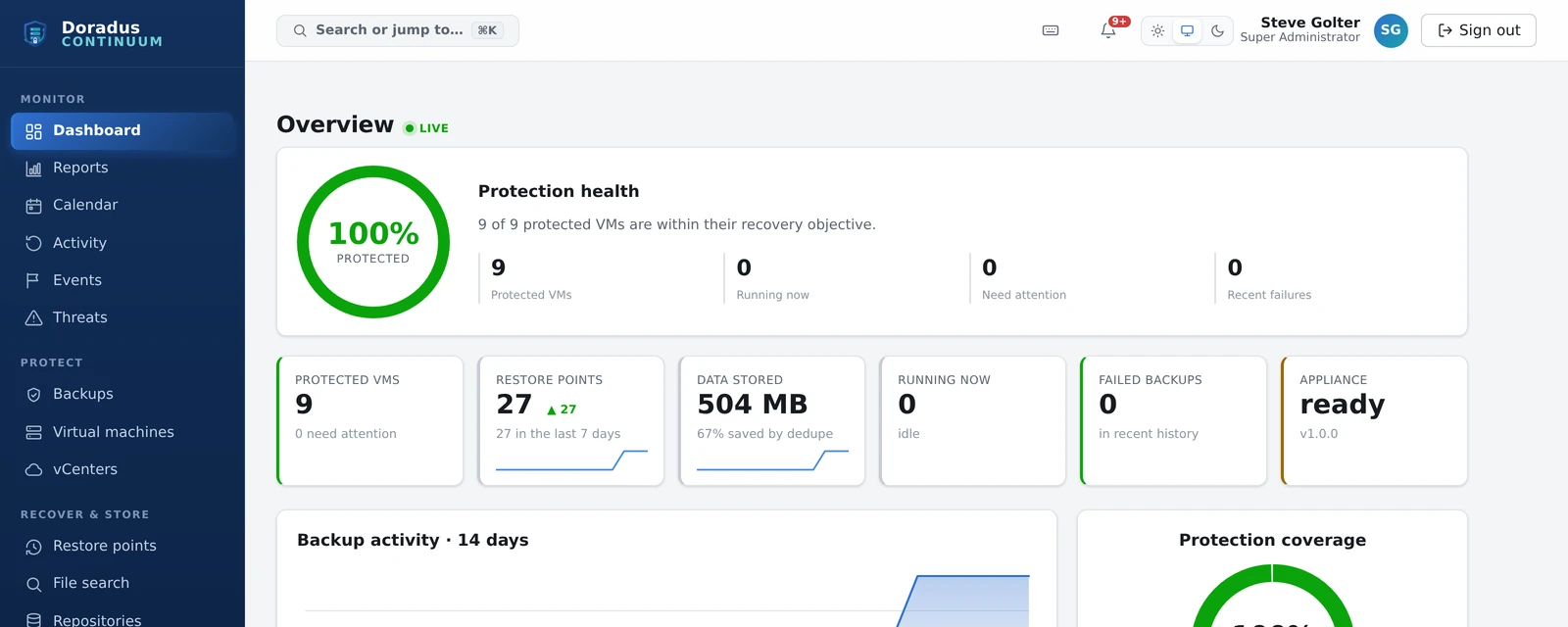
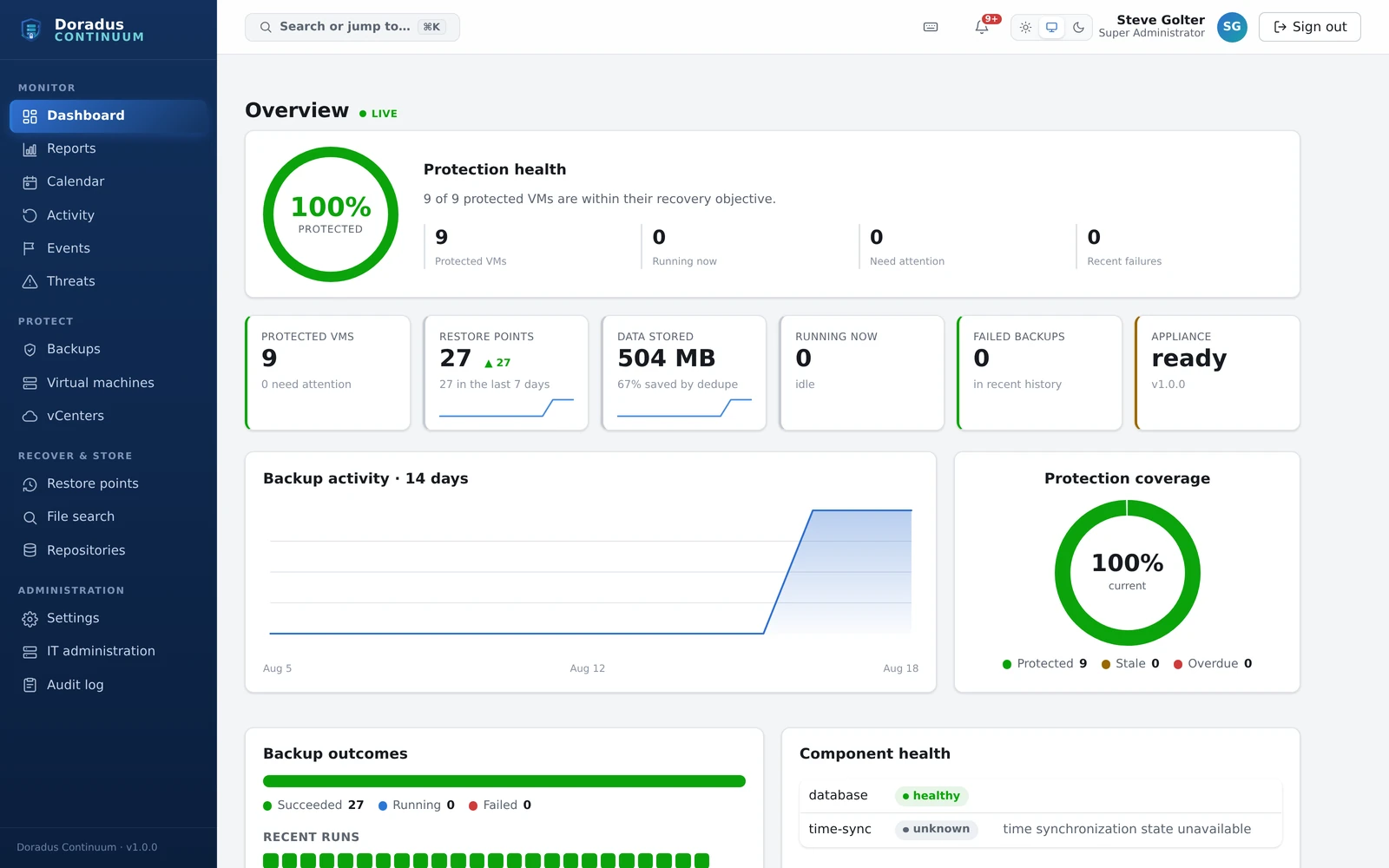
DashboardOne question answered first: is everything within its recovery objective, and if not, which machines are not. Beneath it, the fourteen-day activity, the outcome of every recent run, and the health of the appliance's own components.
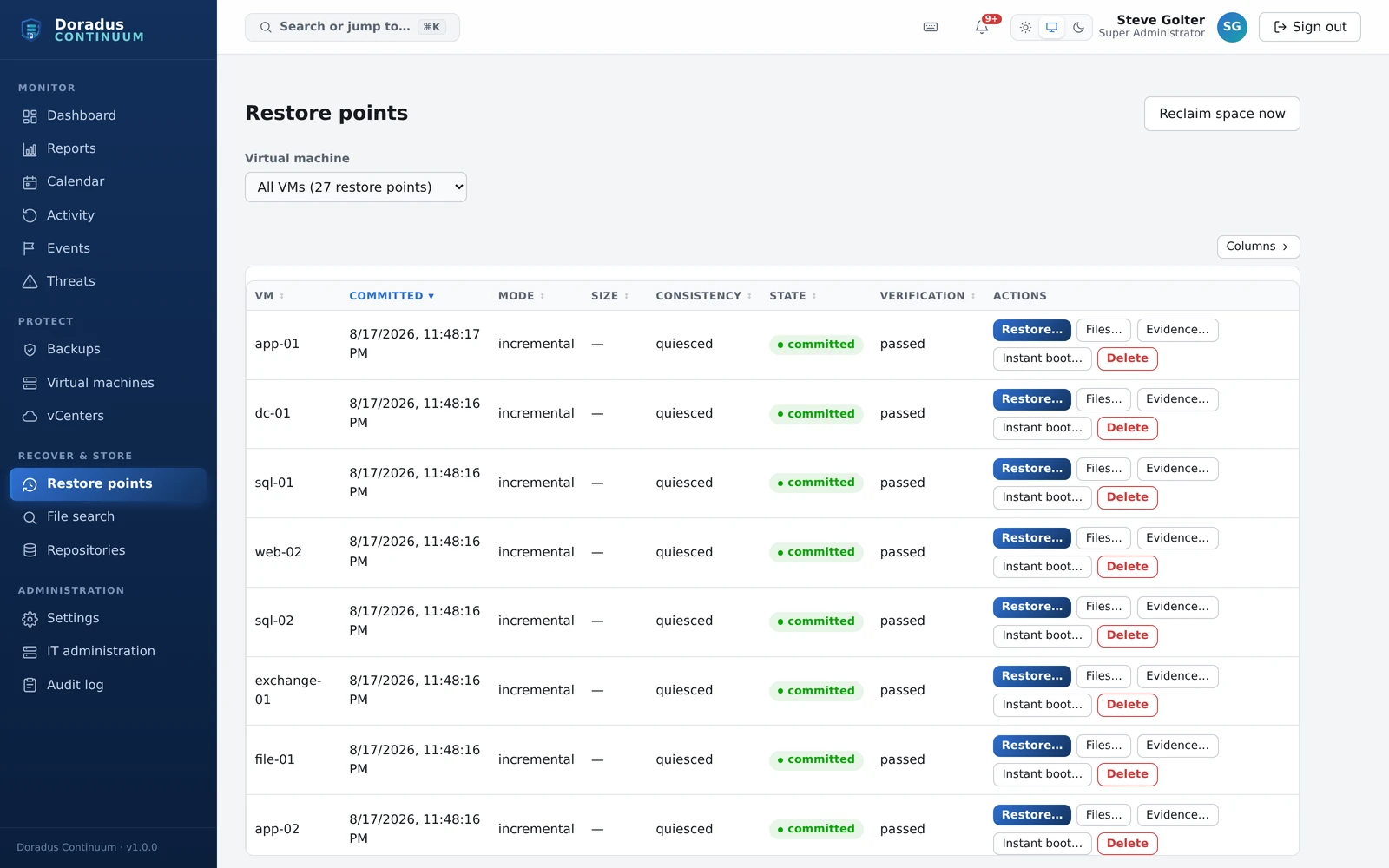
Restore pointsThe screen the rest of the product exists to fill. Every point carries its consistency, its commit state, and its verification result, and every row has an Evidence button next to the restore button. A backup you cannot show your auditor is only half a backup.
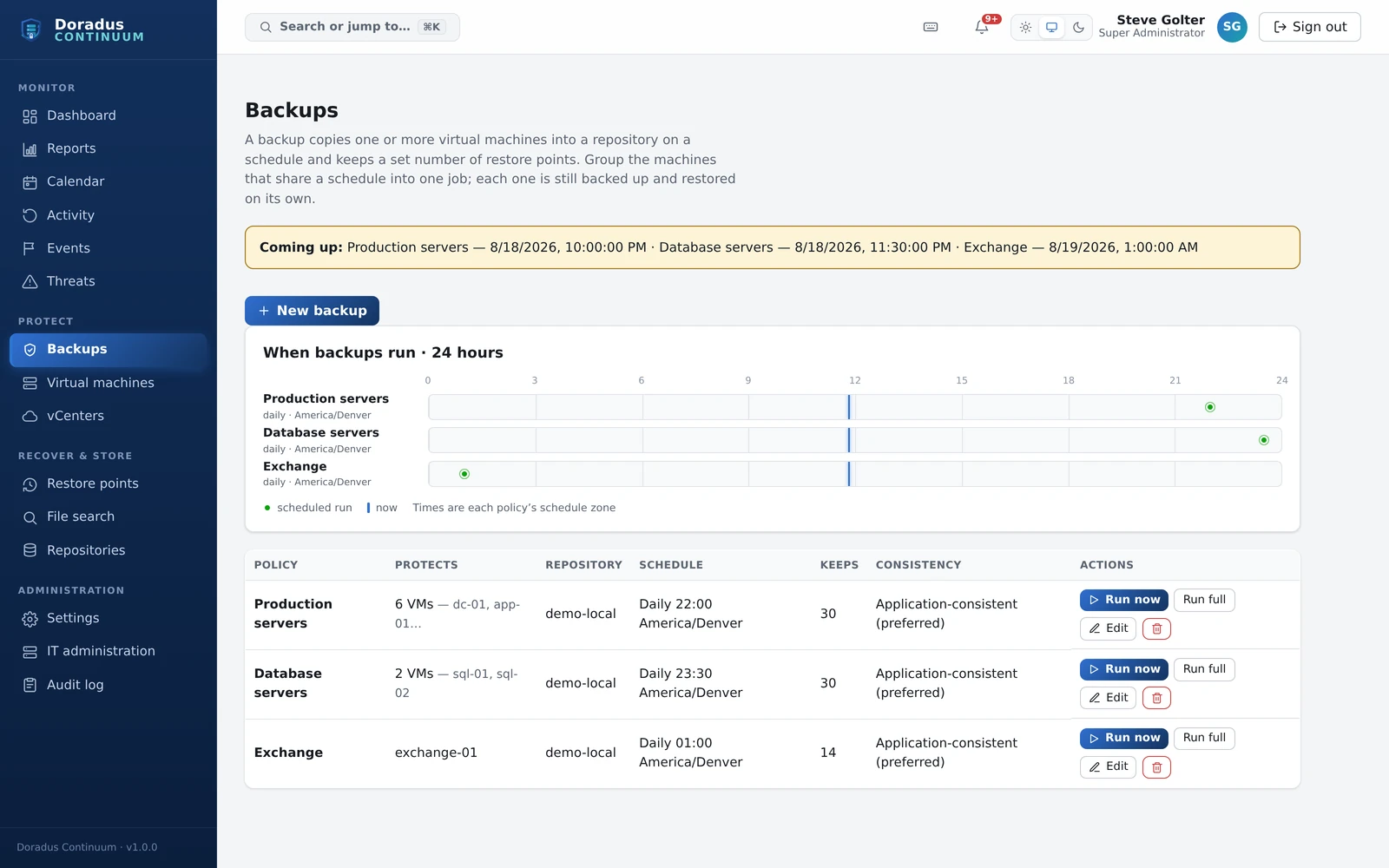
BackupsPolicies stated in plain terms: what each one protects, where it writes, when it runs in your own time zone, how many points it keeps, and whether it quiesces. The strip above shows the day's runs so two jobs do not quietly collide at 22:00.
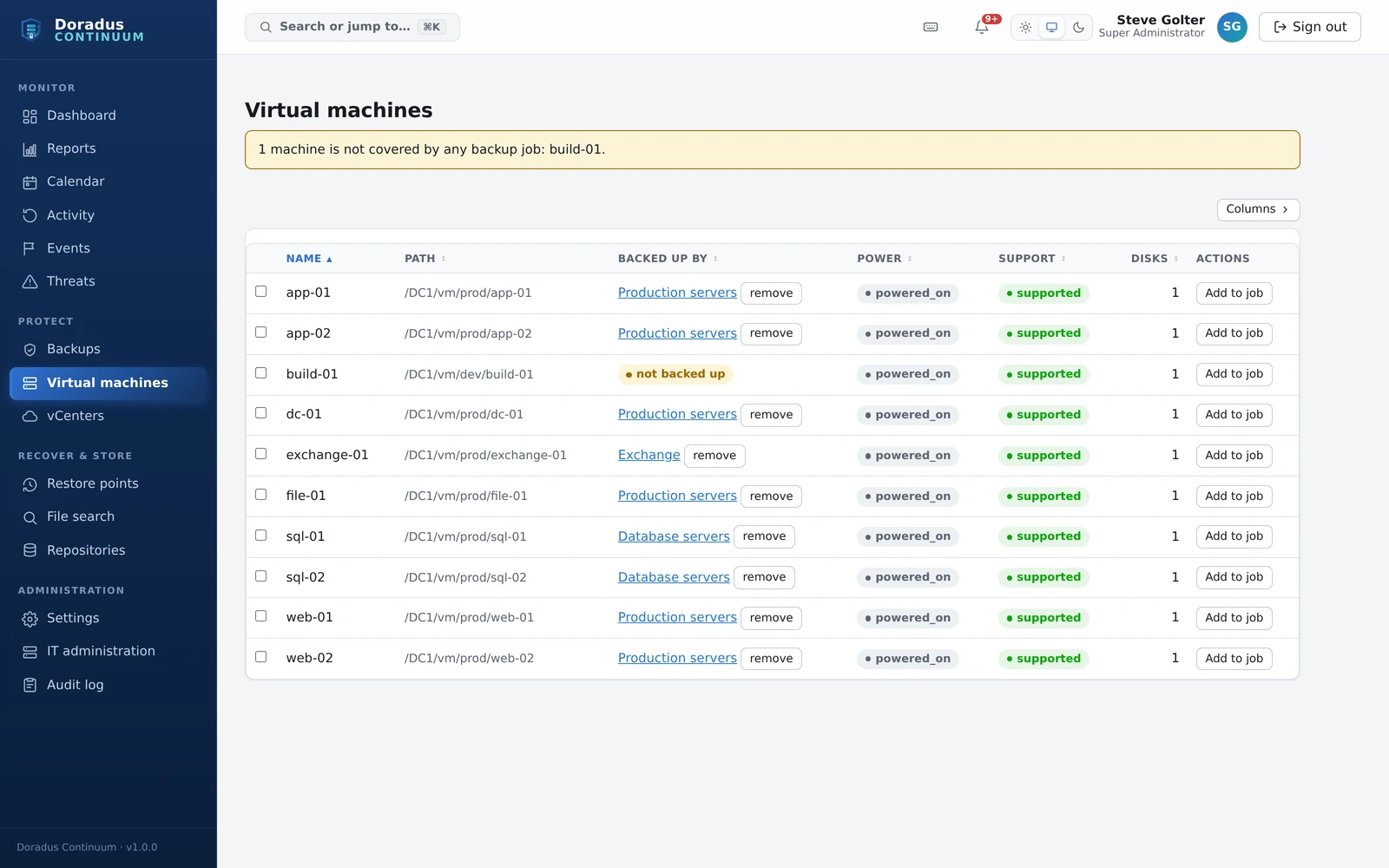
Virtual machinesYour inventory read live from vCenter, annotated with what is protecting each machine. Read the banner at the top: Continuum names the machines nothing is backing up rather than letting them go unnoticed until the day they matter.
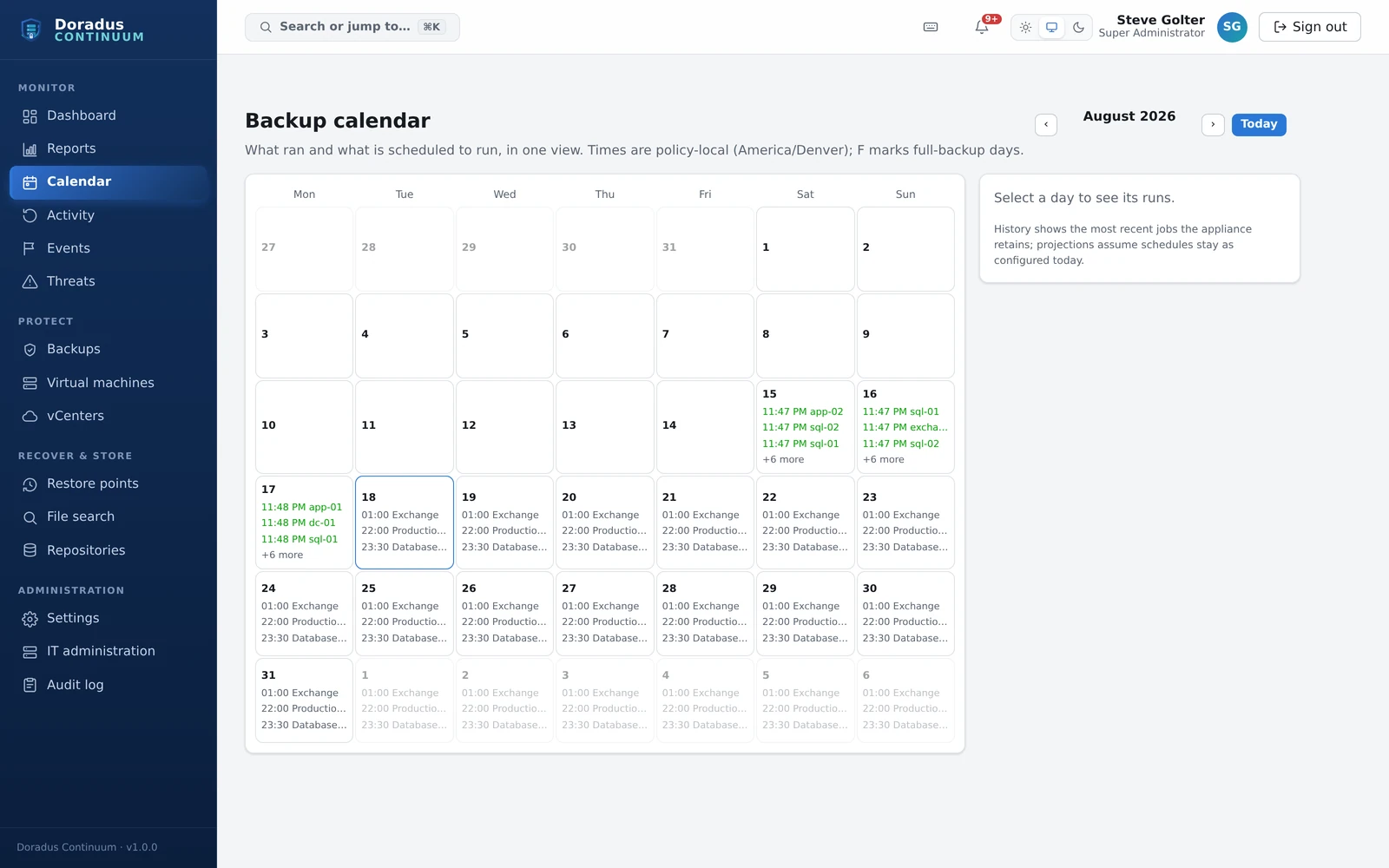
CalendarWhat ran and what is scheduled to run, in one month view. History is what the appliance actually retains; the future is a projection from the schedules as they stand today, and it is labelled as such.
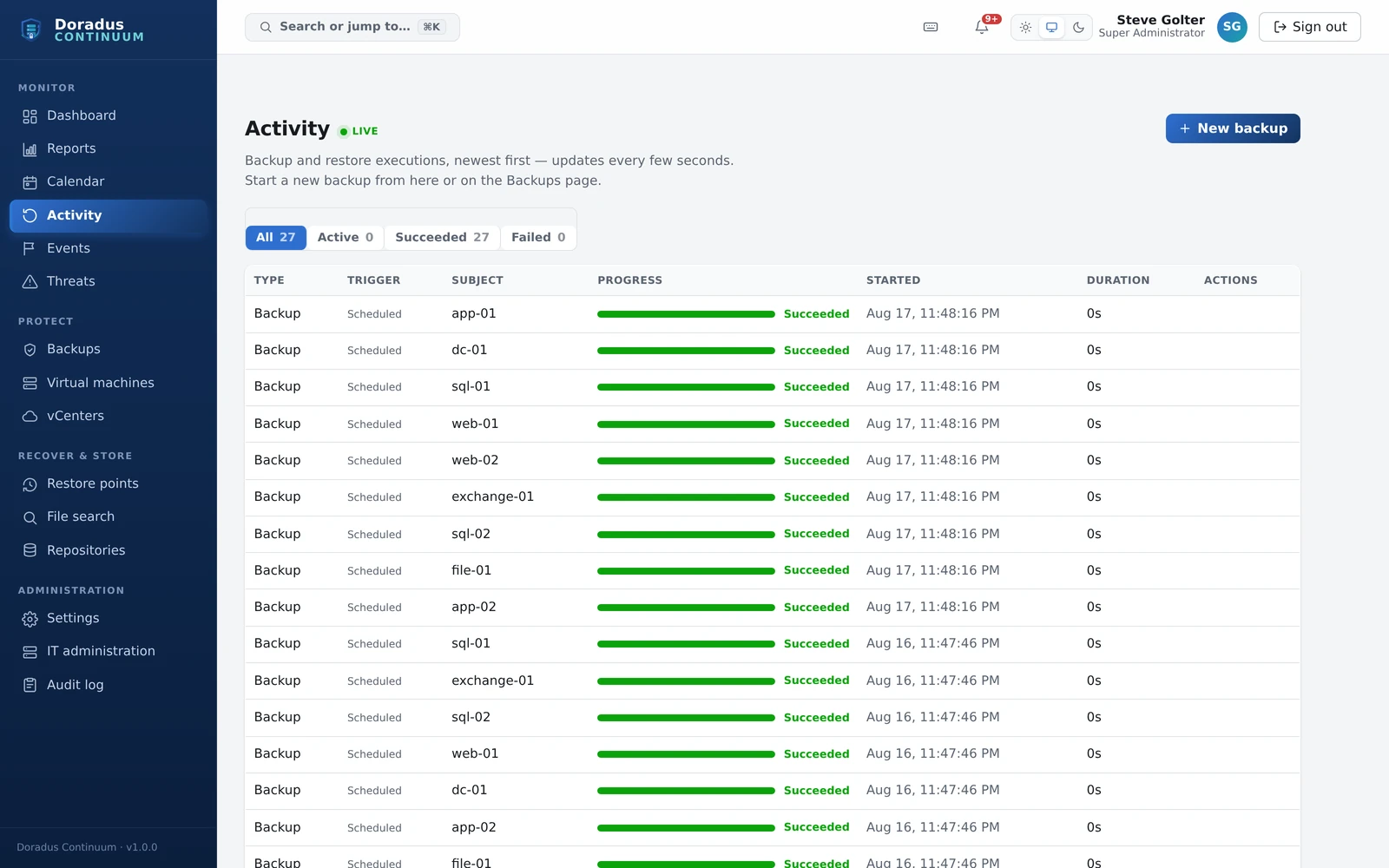
ActivityEvery backup and restore execution, newest first, updating as it runs. Filter to the failures and you have the whole conversation with your storage in one list.
Security and Trust
Safe by default, not by checklist.
Encryption, least-privilege roles, multi-factor authentication, full audit logging, and disconnected NICs on restored VMs are on out of the box. They are not options you have to remember.
Encryption everywhere. AES-256-GCM for stored data, TLS for the console, and a repository key hierarchy protected by an offline recovery passphrase.
Customer-held keys. Key material lives on the appliance and in your recovery bundle. Never with a vendor.
Isolated third-party code. The VMware data path runs in a sandboxed bridge process over a local, credential-checked socket, so third-party disk libraries never share memory with the control plane.
Least privilege throughout, with deny-by-default authorization, scoped API tokens, and step-up re-verification required before destructive actions.
No secrets in logs or diagnostics, by design and by test. Support bundles carry correlated job logs, environment facts, and deterministic error codes, with secrets and guest data omitted.
Built for Real Operations
Five roles, one console, and an API for the rest.
Modern web console
A live dashboard with real-time job throughput graphs, restore-point browsing per VM, and one-click backup and restore.
Role-based access control
Least-privilege roles for Super Administrator, Backup Administrator, Restore Operator, Auditor, and Viewer, with scoped API tokens.
REST API and CLI
For automation, scheduling, and integration into the tooling your team already runs.
Air-gap friendly
Cryptographically signed offline updates and no outbound internet dependency for day-to-day operation.
How It Works
From OVA to protected, in five steps.
1. Deploy. Import a single OVA and complete the first-run wizard: administrator account, network, and time.
2. Connect. Point Continuum at a vCenter or standalone ESXi host. It pins the host certificate on first trust and reads your inventory.
3. Attach a repository. Point it at an NFS export on your Synology or standards-compatible NAS or SAN. It is initialized with encryption keys that stay under your control, and you receive an offline recovery bundle.
4. Create backups. Pick a VM, a repository, a schedule, and how long to keep restore points. Continuum handles snapshots, transport, deduplication, encryption, verification, and cleanup.
5. Recover. Restore any point through the guided wizard, a whole VM to a safe new identity or a single disk, with confidence that it has been verified end to end.
Deployment at a Glance
What it needs from you.
Form factor
Single virtual appliance (OVA)
Appliance OS
Hardened AlmaLinux 9
Protects
VMware vSphere VMs, vCenter-managed or standalone ESXi
Repository storage
Your NFS export: Synology and standards-compatible NAS or SAN
Console
Browser-based local web console
Automation
REST API and command-line interface
Minimum footprint
4 vCPU, 16 GiB RAM
Updates
Cryptographically signed offline packages
Who It Is For
Three people, three different asks.
Local IT administrators
Who manage VMware, networking, and storage, and want guided, low-risk protection and recovery without hiring a backup specialist.
Infrastructure engineers
Who need fine-grained placement, concurrency, retention, and API or CLI automation.
Security and compliance reviewers
Who need immutable audit records, encryption evidence, retention proof, and support for external immutability controls.
Continuum protects any VMware estate, which is why it sits a little apart from the rest of this catalog. On a gaming property it is the same infrastructure our services practice already runs: casino management servers, surveillance recording infrastructure, domain controllers, and the back-of-house virtual machines a floor depends on. The product itself makes no assumptions about the industry it protects.
Arrange an evaluation.
Continuum is available now. A briefing covers your VMware estate, your storage, and what a proof of recovery looks like on your own infrastructure.
Confidential briefing. One reply from a senior engineer. No drip campaigns.